


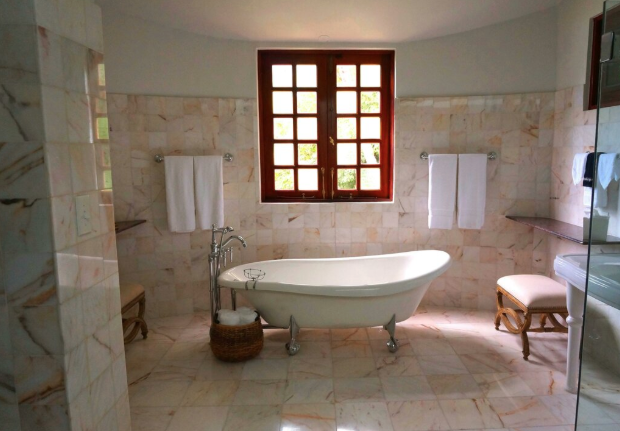
You have spent weeks living with dust sheets, stacked boxes of tiles and trades in and out of the house. When the last grout line is finished, most homeowners reach for their phone. A good set of before-and-after photos is the quickest way to show off your new bathroom, thank your fitter and maybe even tag a local specialist such as Bromley Tilers. The difference between “nice” and “wow, send me that tiler’s number” is rarely the tiles themselves. It is usually the photography.
Social media has raised the stakes. One UK survey found that over half of homeowners now scroll platforms like Instagram and Pinterest for renovation ideas before lifting a hammer. Another poll for the Home Builders Federation reported that 38 per cent of people will not share photos of their home online unless it meets their own “picture perfect” standards. In other words, you are not just recording a bathroom for yourself, you are producing images for a very picky audience.
Why bathroom before-and-after photos are worth doing properly
Bathroom renovations are not cheap, and they are increasingly central to how people invest in their homes. The 2025 Houzz & Home study found that major kitchen and bathroom projects account for a disproportionate share of renovation spend, as owners prioritise high-impact rooms rather than whole-house makeovers. When so much budget goes into a small space, it makes sense to capture it properly.
You also already own the main tool you need. According to recent UK mobile statistics, virtually all adults aged 16 to 24 now use a smartphone, and even among 55 to 64 year olds the figure is over 90 per cent. That means most people are shooting on phones, not dedicated cameras. The good news is that modern phones are perfectly capable of sharp, well-exposed bathroom images if you control angle, light and stability.
- Strong photos help you remember details such as grout width, tile layout or where a niche was placed.
- They make it easier to recommend your tiler with convincing visual evidence of their workmanship.
- If you ever sell or let the property, they provide ready-made listing images and a record of what was done.
Key point
Treat your bathroom photos like a mini project: a couple of planned sessions before and after will give you far better results than quick snaps taken in passing.
Plan your story and framing before the first tile comes off
The most common mistake is waiting until the renovation is finished and then trying to recreate the “before” from memory. Instead, decide on your main viewpoints before any work starts. In a small bathroom you might only have two realistic positions: standing in the doorway and standing in the shower or bath looking back. The trick is to use those same spots for both the before and the after so people can compare like-for-like.
Think of each angle as part of a simple visual story. One frame might show the main wall of tiling behind the bath, another might show the basin and mirror, and a third might be a close-up of a feature such as patterned floor tiles. Turn on the grid lines in your camera app so you can keep verticals straight, and try to shoot at chest height rather than pointing the phone up or down, which can distort the room.
- Before work starts, walk around the bathroom and choose two or three “hero” viewpoints.
- Take several test shots from each position and keep the favourites in a dedicated album.
- Make a quick note of where you stood (for example, “back against door frame, phone at eye level”).
Key point
Consistent framing does more to sell the transformation than any filter or caption; if the viewer feels they are standing in exactly the same place, the change in tiling speaks for itself.
Use light and simple kit to make tiles look their best
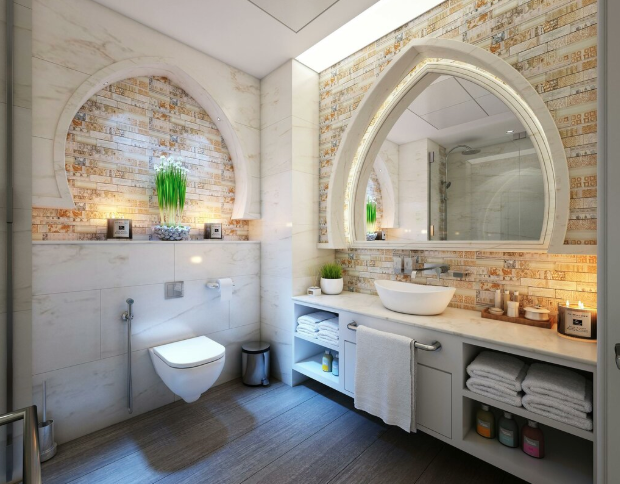
Once you know your angles, the next job is to control light. Bathrooms are tricky because they are small, reflective and often lit by a single window plus ceiling spots. Research on interior lighting shows that colour temperature, measured in Kelvin, affects how bright and clean surfaces appear: cooler white light tends to make spaces feel crisper, while very warm light can make whites look creamier. If you photograph your “before” in cold daylight and your “after” under very warm artificial light, the tiles will not look as if they are in the same room.
Try to keep conditions similar for both sets of photos. If you can, shoot during the day with the main bathroom light off and the door open so some indirect daylight from adjoining rooms softens the contrast. Avoid mixing extreme warm and cool bulbs in the same shot, as this can create strange colour shifts across the tiles.
- Pick a time of day when the room gets the most even natural light and use that for both before and after.
- If your only window is small, open the bathroom door and any nearby curtains to borrow extra daylight.
- If you must rely on ceiling lights, use the same bulbs and dimmer setting for both sets of photos.
Stability is the third piece of the puzzle. Camera manufacturers point out that even slight hand movement while pressing the shutter can cause blur, particularly in low light where the phone uses slower shutter speeds. A simple tripod or clamp can make a major difference. If you do not own one, you can improvise by bracing your phone against the door frame or resting your elbows on a shelf.
Key point
Light and stability matter more than megapixels: a modest phone on a cheap tripod in good light will beat a top-end handset used one-handed in a dim bathroom.
Social-ready tweaks that stay true to your tiles
Once you have clean, sharp images, you can think about how they will appear on social platforms. Vertical crops tend to work best for stories and reels, while square or slightly vertical rectangles suit most grids. Keep plenty of space around the bath and shower so the tiling reads clearly on a small screen, and avoid clutter such as shampoo bottles or laundry that will distract from the pattern.
If you do use a picture filter, choose one that keeps whites neutral so people see the true tile colour rather than a trendy tint. Heavy vintage looks or very warm filters might be flattering on skin tones, but they can make pale grey tiles look beige or throw the grout colour completely off. That is fine for an atmospheric selfie; it is less helpful if you want other people to understand what your tiler has actually installed.
Consistency matters too. Avoid applying a heavy picture filter to only one of the two shots, or your “before” may look flat and cold while the “after” seems unrealistically glowing. Instead, make the same gentle adjustments to both images, ideally using the basic editing tools in your phone’s gallery app so you can copy the settings from one frame to another.
If you enjoy editing, think of the picture filter as the final touch, not the main event. Adjusting exposure and white balance first will usually get you most of the way there. A gentle picture filter that slightly lifts shadows is fine as long as the grout, sanitaryware and tile edges still look real and not plasticky or blown out.
Common mistakes that ruin bathroom before-and-after shots
Even with good intentions, a few simple errors can undermine your photos. One UK poll of parents found that 69 per cent deep-clean their home before posting pictures online, which shows how seriously people take background mess. You do not need a show home, but it is worth removing toiletries, bins and laundry from the frame so the viewer focuses on the new tiling.
Another hidden culprit is grime on the lens. Studies and news reports frequently note that many people take their phones into the bathroom, and one survey shared by the Daily Mirror highlighted that around half of mobile users admit to this habit. Steam, fingerprints and soap residue can all blur your images. A quick wipe with a clean microfibre cloth before you shoot can restore contrast and sharpness instantly.
- Failing to match your standing position and height between before and after, which makes the room feel like a different size.
- Tilting the phone so that vertical lines lean noticeably, especially on narrow shower enclosures.
- Cropping too tight so the viewer cannot see where the tiling sits in relation to fixtures and windows.
- Forgetting to remove distracting items such as toilet brushes, cleaning bottles or packaging.
Key point
Small practical steps, like clearing clutter and cleaning the lens, often deliver a bigger improvement than any technical change in camera or settings.
In summary
You do not need studio lights or a professional camera to make your bathroom renovation look as good on screen as it does in real life. With a little planning, you can create a clear photographic story: consistent angles, steady framing, matching light and two or three well-chosen detail shots. Add tidy surfaces and a clean lens, and your tiler’s work will come across far more convincingly than in a single hurried snapshot.
Good before-and-after images are a useful record for you, a powerful thank-you for your trades and, if you choose to share them, a practical reference for other homeowners considering something similar. Whether you tag Bromley Tilers or simply file the photos away for future reference, treating your bathroom shoot as part of the project rather than an afterthought will pay off every time you open your camera roll.
FAQ
Do I really need a tripod to photograph my bathroom?
A tripod is not essential, but any form of stabilisation helps. If you do not own one, brace the phone against a solid surface, use the self-timer and take several shots from the same position to reduce blur.
What time of day is best for bathroom before-and-after photos?
Aim for a time when the room has the most even light, usually mid-morning or mid-afternoon. Try to use the same time of day for both the before and after so shadows and colour temperature are comparable.
Should I shoot in portrait or landscape format?
For social media, portrait often works better in small bathrooms because it gives more height for showers and full walls of tiling. For your own records, it can be useful to take both portrait and landscape versions from each viewpoint.
Is it better to photograph before or after the final clean?
Always wait until the tiler has finished snagging and the room has been cleaned of dust and grout haze. Any stray marks on the tiles will show clearly in high-resolution phone photos.
How many photos should I take of a new bathroom?
As a minimum, take one wide shot from the doorway, one wide shot looking back towards the door and two or three close-ups of important details such as niches, patterned tiles or grout lines. Extra frames cost nothing and give you more choice later.